
Powering Up Your Device...
Charge your device:
Before turning on your device, charge it fully.
 To turn the device on, press and hold the Power button, then follow the prompts to get started.
 To turn the device off, press and hold
the Power button. Confirm when prompted.

To restart your device, press and hold the Power button until the screen goes dark and your phone restarts.
Note: If the device has not been powered up for some time, it may require multiple updates upon powering up.
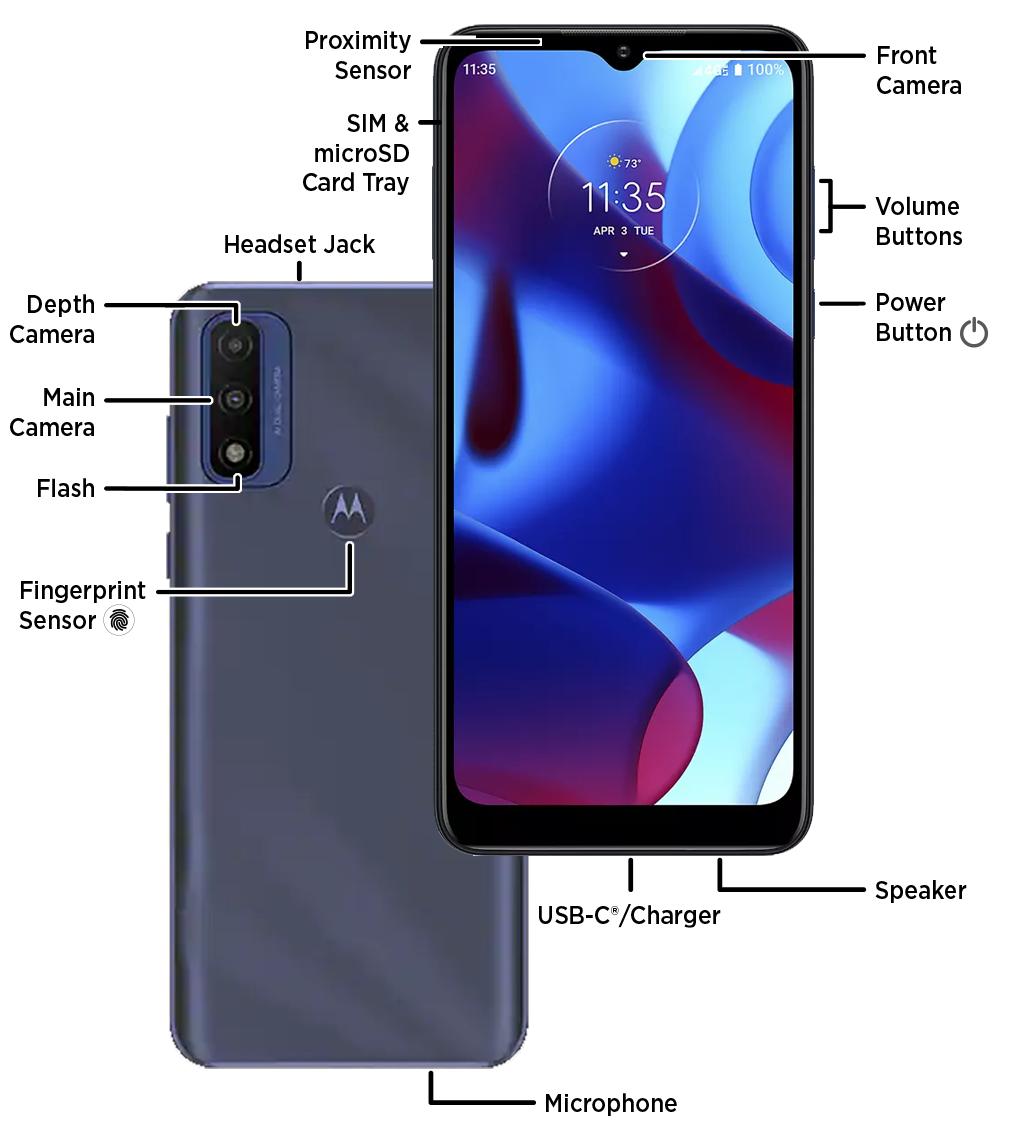
Moto G Pure

Revvl 4G

NUU X6 Plus

POWERED BY T-MOBILE 5G.png?width=158&height=40&name=TFB_Partner_Logo_Elite_PRI_RGB_on-W_2022-03-24%20(1).png)
CPR³ SOLUTION CREATED BY
